🛤️

Path Report

Discover user journeys

The Path Report reveals the actual journeys users take through your product. Instead of defining a funnel and measuring it, you let the data show you which paths users naturally follow - and which ones lead to conversion.

Get Started for Free

Why This Report Matters

Your users don't always follow the path you designed. Path analysis shows you how they actually behave, revealing shortcuts you didn't know existed and detours that indicate confusion. Optimize for reality, not assumptions.

Questions This Report Answers

If you're asking these questions, the Path Report is your answer.

?

What sequence of actions leads to conversion?

?

Which marketing channels create the best customer journeys?

?

How do successful users navigate differently than unsuccessful ones?

?

What paths do users take before churning?

?

Are there unexpected journeys we should optimize for?

🛤️

Path Report in Action

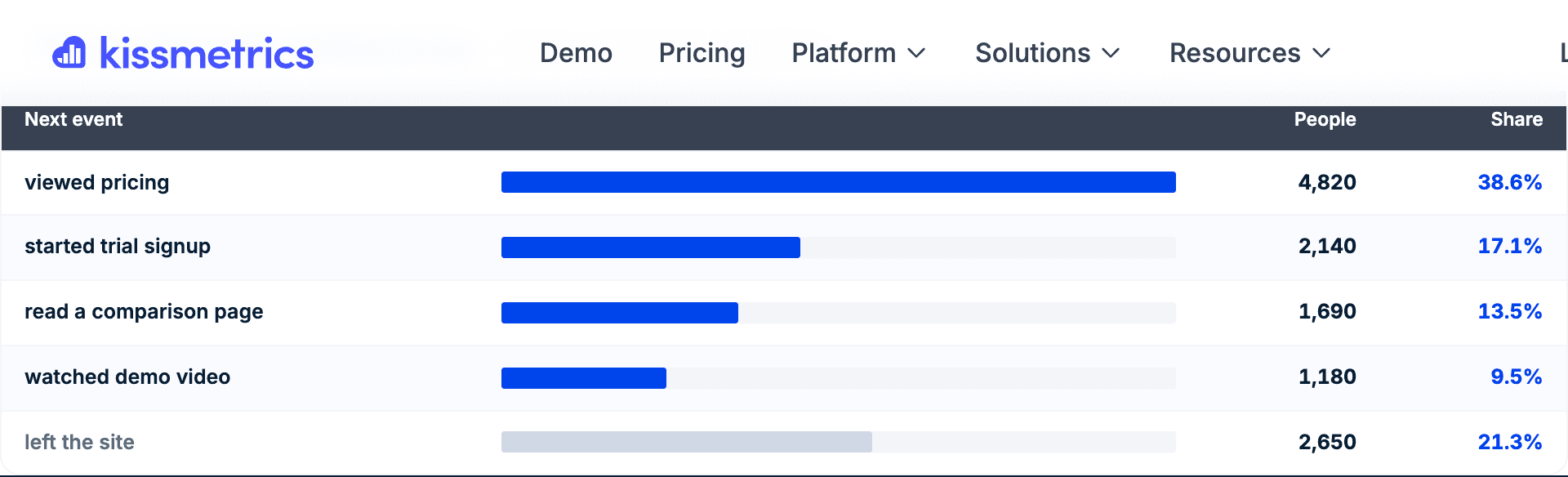
Interactive demo or screenshot showcasing the Path Report interface, configuration options, and example insights.

Key Capabilities

Everything the Path Report can do for your analysis.

Event Sequence Analysis

See the first or last 5 events in conversion sequences. Understand what users do before they convert.

Property Path Tracking

Track sequences of property values (like marketing channels) not just events. See the touchpoint journey.

Conversion Rate by Path

Compare conversion rates across different paths. Identify which journeys are most effective.

Time-to-Convert Metrics

See how long different paths take. Quick conversions might indicate high intent; slow ones might need nurturing.

Path Sorting Options

Sort by number of people, conversions, conversion rate, or speed. Find patterns based on what matters to you.

Step Multipliers

See when users repeat actions (2X, 3X) before progressing. Identify engagement patterns or friction points.

Real-World Use Cases

How teams use the Path Report to drive business results.

Marketing Attribution

Understand which channel sequences lead to conversion.

Example:

Blog → Email → Direct converts at 12% vs Social → Direct at 3%.

Product Journey Optimization

Discover how successful users navigate your product.

Example:

Users who view the tutorial before trying features have 2x activation rate.

Churn Path Analysis

Identify common patterns before users cancel.

Example:

60% of churned users followed: Settings → Billing → Cancel - add intervention at Settings.

Purchase Path Optimization

See which pre-purchase journeys lead to highest value orders.

Example:

Users who compare 3+ products have 40% higher average order value.

Pro Tips

Get the most out of the Path Report with these expert recommendations.

💡

Compare paths of converters vs non-converters to identify what successful users do differently.

💡

Look for "repeat" patterns - users doing the same action multiple times might indicate confusion or high engagement.

💡

Use path analysis to inform (not replace) funnel design - let data guide your funnel structure.

💡

Analyze paths for different segments - enterprise users might follow very different journeys than SMB.

💡

Check paths regularly as your product evolves - user behavior changes over time.

Ready to try the Path Report?

Free to start. Full access to all 9 report types.