💰

Revenue Report

Follow the money

The Revenue Report connects user behavior to actual dollars. It shows you which channels, campaigns, and user segments generate the most revenue - not just the most traffic or signups, but actual paying customers and their lifetime value.

Get Started for Free

Why This Report Matters

Traffic and signups are vanity metrics. Revenue is what matters. This report ensures you're optimizing for what actually grows your business, not what looks good in a dashboard. Stop guessing which marketing efforts pay off - know for certain.

Questions This Report Answers

If you're asking these questions, the Revenue Report is your answer.

?

Which marketing channel drives the most revenue?

?

What's the lifetime value of users from organic vs paid?

?

How does revenue per user vary by plan type?

?

Which campaigns have the best revenue ROI?

?

Are enterprise customers actually more valuable than SMB?

💰

Revenue Report in Action

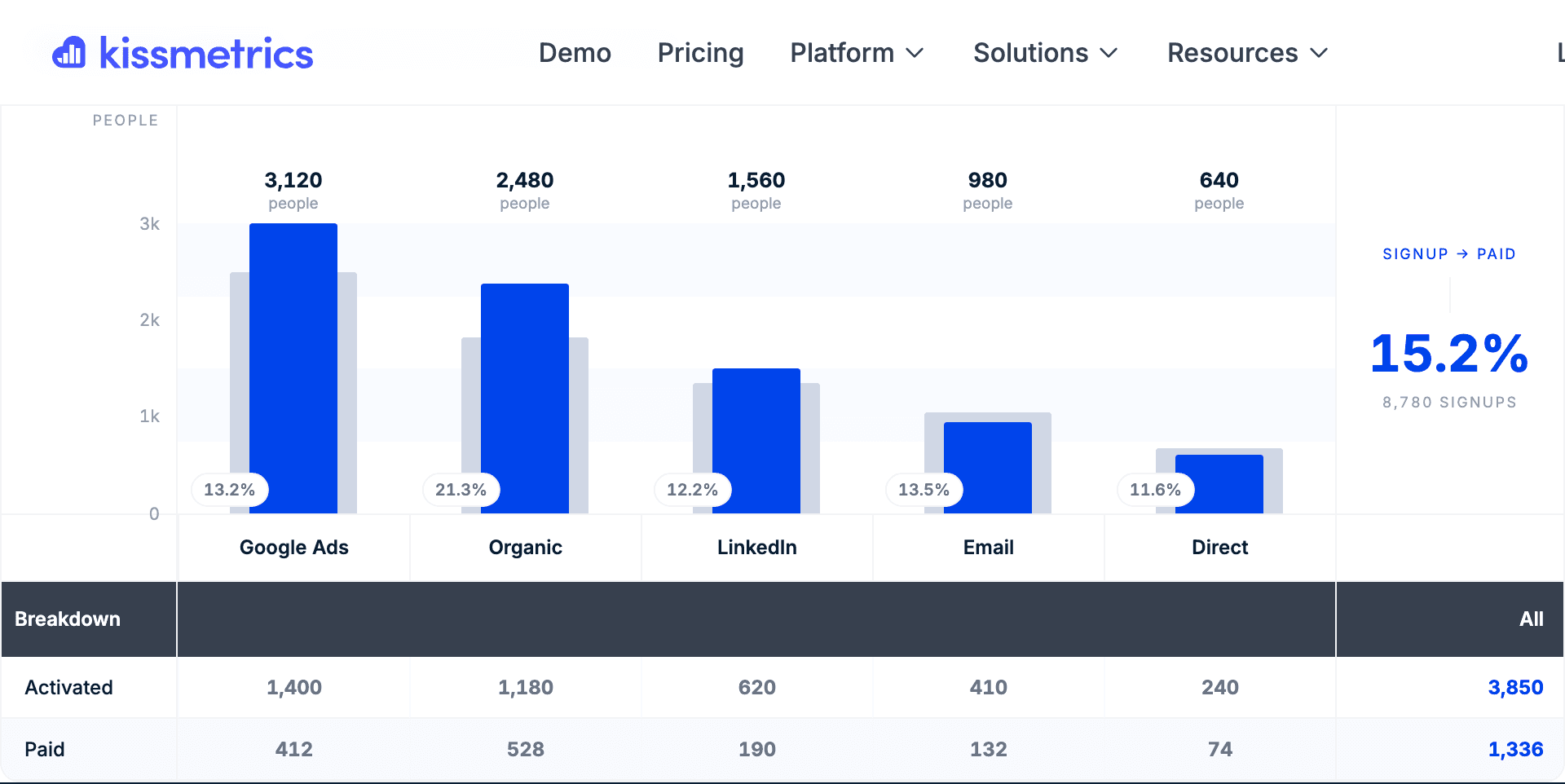
Interactive demo or screenshot showcasing the Revenue Report interface, configuration options, and example insights.

Key Capabilities

Everything the Revenue Report can do for your analysis.

Revenue Attribution

Connect revenue to its source - marketing channel, campaign, referrer, or any property. Know which efforts drive real dollars.

Revenue Segmentation

Break down revenue by type (subscription, one-time, expansion), customer segment, geography, or any custom dimension.

Customer Value Metrics

Calculate and track LTV, ARPU, and revenue per user across different segments. Identify your most valuable customer profiles.

Time-Based Analysis

See revenue trends over time. Track MRR growth, seasonal patterns, and the impact of pricing changes.

Behavior-Revenue Connection

Link specific user behaviors to revenue outcomes. Understand which actions predict high-value customers.

Multi-Touch Attribution

See how multiple touchpoints contribute to revenue. Understand the full journey, not just last click.

Real-World Use Cases

How teams use the Revenue Report to drive business results.

Marketing ROI Analysis

Compare revenue generated by different marketing channels and campaigns.

Example:

Google Ads generated $50K in revenue from $10K spend (5x ROI) vs Facebook at 2x ROI.

Customer Segment Valuation

Understand which customer segments are most valuable.

Example:

Enterprise customers have 3x LTV vs SMB, but SMB converts 4x faster.

Pricing Impact Analysis

Measure how pricing changes affect revenue.

Example:

After the price increase, conversion dropped 15% but revenue per customer increased 40%.

Expansion Revenue Tracking

Track upsells, cross-sells, and plan upgrades.

Example:

35% of Basic plan users upgrade within 6 months, contributing 25% of total revenue.

Pro Tips

Get the most out of the Revenue Report with these expert recommendations.

💡

Don't just track initial revenue - track LTV to understand true customer value.

💡

Segment revenue by acquisition source to optimize marketing spend.

💡

Look at revenue per user, not just total revenue, to compare segments fairly.

💡

Track expansion revenue separately to understand growth from existing customers.

💡

Combine with cohort analysis to see how revenue from different acquisition periods compounds.

Ready to try the Revenue Report?

Free to start. Full access to all 9 report types.